
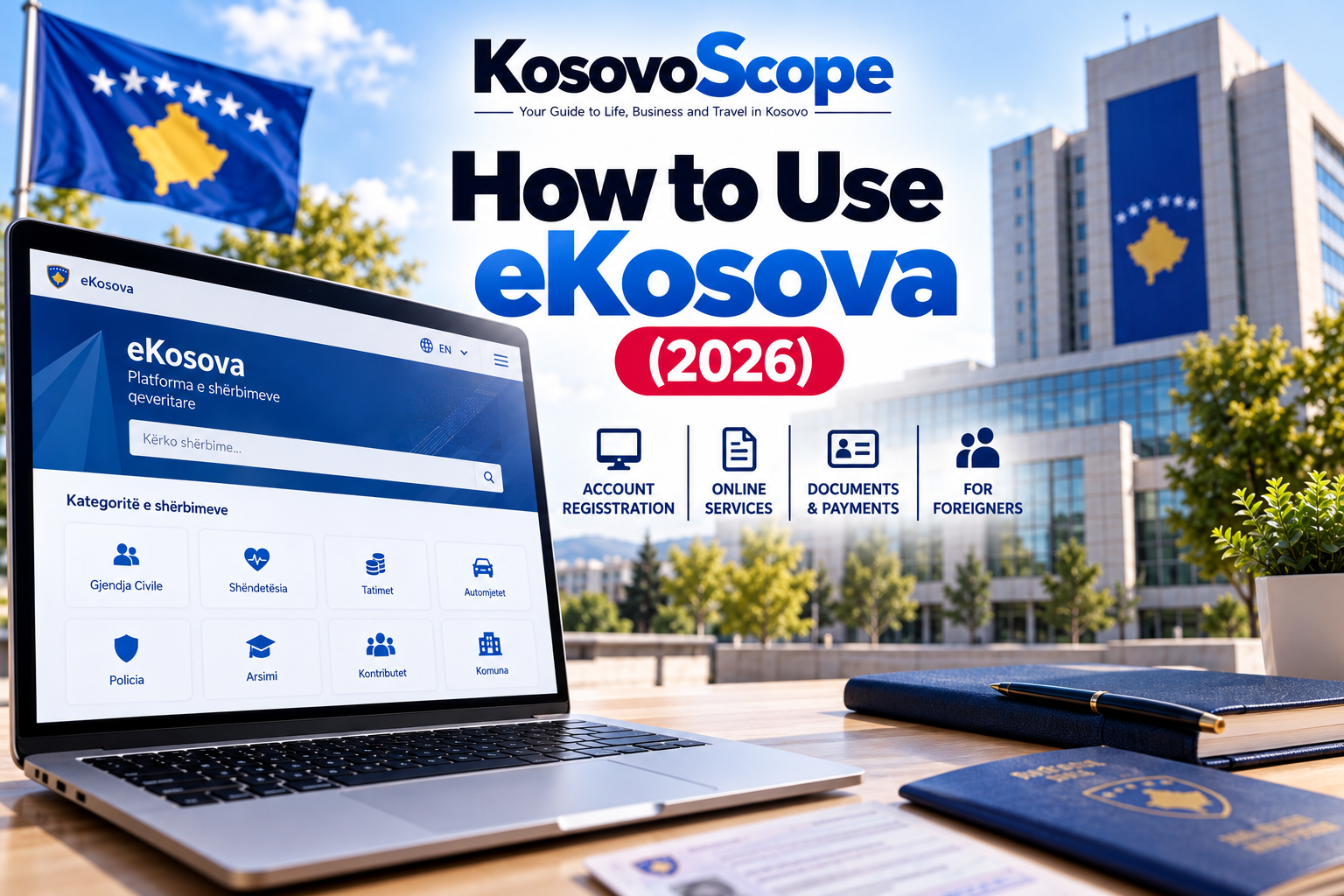
Wondering how to use eKosova in 2026? This complete guide explains how to register for an eKosova account, verify your identity, log in, access online government services, request official documents and complete administrative procedures in Kosovo. Whether you are a Kosovo citizen, a foreign resident or living abroad, understanding the eKosova platform can make government services easier to access.
Whether you live in Pristina, another Kosovo municipality or abroad, understanding how eKosova works can make dealing with Kosovo’s public administration much easier.
But there is an important distinction between creating an account and having a fully verified account. Some services can be accessed after registration, while others require additional identity verification.
Foreign nationals also need to check whether their particular service is available to them.
This complete guide to using eKosova in 2026 explains account registration, identity verification, logging in, searching for services, requesting documents, online payments and common problems.
It also covers important services for foreigners, including residence permit appointments and the new online residence permit renewal application.
What Is eKosova?
eKosova is Kosovo’s official digital government services platform.
It provides online access to services that would otherwise require interactions with government offices, public counters or other administrative institutions.
The platform is part of Kosovo’s broader public-sector digitalization program.
According to an official announcement by the Ministry of Digitalization and Public Administration on October 14, 2026, eKosova offers more than 330 services and has over 1.2 million registered users.
The government is also developing eKosova 2.0, a future expansion intended to introduce additional digital services and capabilities.
These future services should not be confused with functions already available on the platform.
Learning how to use eKosova is especially helpful for first-time users who need access to public services, digital documents and official government applications.
Official eKosova Website
Always use the official government website.
eKosova’s own security notice warns users to avoid lookalike addresses that do not belong to the official rks-gov.net domain.
eKosova at a Glance
| Question | Answer |
|---|---|
| Official portal | ekosova.rks-gov.net |
| Service provider | Kosovo public administration |
| Available website languages | Albanian, English and Serbian |
| Account needed? | Required for many personalized services |
| Sign-in method | Personal number and password under the documented account procedure |
| Account verification | Required for certain services |
| Number of services | More than 330, as reported in October 2026 |
| Users | More than 1.2 million registered users |
| Service fees | Depend on the particular service |
| Foreign nationals | Access depends on the service and eligibility |
Service availability and platform features can change. Always follow the current instructions shown by the official portal.
1. How to Register for an eKosova Account
Creating an account is the starting point for accessing many personalized services.
The official portal’s own instructions describe the registration process and distinguish between basic and verified access.
Step 1: Open the Official Website
Visit:
Make sure the browser displays the legitimate government domain before entering personal information.
Step 2: Choose Your Language
The website offers Albanian, English and Serbian options.
Select the language you find easiest to understand.
Some individual services may display different terminology or instructions depending on the department responsible for them.
Step 3: Select Registration
Choose the registration option, commonly shown in Albanian as Regjistrohu.
The portal will ask you to complete the required fields.
Follow the current form rather than assuming that every account type requires exactly the same information.
Step 4: Enter Your Information
Complete the information requested by the official registration process.
Use accurate details that match your identity records.
Depending on your eligibility and the current registration method, you may be asked for identification and contact information.
Do not enter false personal numbers or use another person’s identity to create an account.
Step 5: Complete the Required Registration Checks
Follow any confirmation or validation instructions provided.
Do not assume that completing the registration form automatically gives you unrestricted access to every service.
The official platform separates initial account access from a higher, verified level.
Step 6: Sign In and Review Available Services
After account creation, sign in and review the services available to you.
If a service requires further verification, complete the official verification process before trying again.
Important: Kosovo’s Ministry of Internal Affairs published an eKosova registration video guide in August 2026. Its official video gallery is a useful reference for the current registration process.
Ministry of Internal Affairs — Official Video Gallery
2. eKosova Account Verification: Level One vs Level Two
One of the most important things to understand about eKosova is that registration and verification are not identical.
According to the official platform’s guidance, users can access first-level services after creating an account.
Following verification by the relevant authorities, the account can move to the second level, which allows access to services requiring a verified account.
| Account level | What it means |
|---|---|
| Level One | Initial registered account with access to first-level services |
| Level Two | Verified account with access to additional services that require verification |
Why Does Verification Matter?
Government services sometimes involve sensitive identity records, personal documents or legally significant requests.
The platform may therefore require stronger identity confirmation before providing them.
If a service is unavailable to you, an incomplete verification process may be one possible reason.
However, verification does not override the separate eligibility rules for each service.
How Do You Verify Your Account?
Follow the verification instructions currently displayed in your account or provided by the responsible public authority.
The precise steps can depend on the user’s identity records and eligibility.
This article does not prescribe an unverified verification location, required document list or processing time.
If you cannot complete the process, consult the official help information instead of submitting another person’s details.
3. How to Log In to eKosova
Once you have an account, logging in should be straightforward.
The official portal describes the process as selecting the sign-in option and entering your personal number and password.
Step 1: Go to eKosova
Open the official portal.
Step 2: Select Login
The Albanian interface uses the term Hyr.
Step 3: Enter Your Credentials
Provide the personal number and password associated with your account, following the current authentication screen.
Complete any additional security checks requested.
Step 4: Access Your Services
After signing in, locate the services menu.
The Albanian term Shërbime means Services.
From there, select the public service you need.
Never save passwords on a public or shared computer.
4. How to Find a Government Service on eKosova
Because the platform contains hundreds of services, finding the right application is an important part of using it effectively.
Step 1: Open the Services Section
After logging in, navigate to the services catalogue.
Depending on the interface, you may find services grouped by institution or subject.
Step 2: Search for the Service
Use the search function if available.
Alternatively, explore the relevant category.
Examples of broad service areas displayed by eKosova include:
- Civil registry
- Health
- Taxes
- Vehicles
- Police
- Family services
- Education
- Contributions
- Grants
- Municipal services
Not every service in a category necessarily offers document downloads or immediate processing.
Step 3: Read the Service Description
Before beginning an application, check its eligibility requirements, supporting documents, fee information and processing instructions.
Some services may be limited to particular categories of users.
Step 4: Submit the Required Information
Complete the official form and upload supporting documentation where requested.
Check spelling, names, dates and identity details before submitting.
Step 5: Review the Result or Next Action
Depending on the service, the portal may produce a document, confirmation, payment step, appointment process or further administrative instruction.
An online application does not always mean the underlying administrative decision is completed automatically.
5. How to Request a Document Through eKosova
One of the most useful aspects of digital public services is the ability to request official documentation remotely.
The process differs from one service to another, but the general approach is similar.
First, find the correct service and confirm that you qualify.
Next, review the application details, submit the required information and complete any necessary payment or verification step.
Finally, follow the portal’s instructions to obtain the document or check the progress of your request.
Keep the Original Digital File
When a service provides an official digitally signed document, retain the original electronic file.
Do not assume that a screenshot or printed copy has the same verification properties.
If the document has a QR code or another verification feature, avoid modifying the file.
Check Acceptance Before Using the Document Abroad
A Kosovo document issued digitally may still require translation, authentication or other formalities when presented to a foreign authority.
Ask the receiving institution what document format it accepts.
6. How to Get a Kosovo Criminal Record Certificate Through eKosova
A criminal record certificate is an important practical example of eKosova’s digital services.
The Kosovo Judicial Council’s technology strategy confirms that criminal record certificates have been accessible remotely through eKosova since February 2023.
Since November 1, 2024, Kosovo Police has no longer been the issuing authority for individual criminal background certificates.
The judicial system is responsible for the relevant criminal conviction certificate.
Eligible applicants may use the eKosova service or the applicable in-person court procedure.
The correct certificate should not be confused with a document about pending criminal proceedings.
For the complete explanation, including eligibility, document types and applications from abroad, read:
How to Get a Kosovo Criminal Record Certificate (2026)
7. Using eKosova for Residence Permit Services
eKosova has become increasingly relevant to foreign nationals living in Kosovo.
However, several different immigration-related services must be distinguished.
Residence Permit Appointments
In June 2025, Kosovo’s Ministry of Internal Affairs announced the use of eKosova for arranging residence permit appointments for foreign nationals.
The service was designed to help applicants organize appointments and meet applicable deadlines.
An appointment booking is not itself a granted residence permit.
Applicants must still satisfy the rules set by the immigration authorities.
Online Residence Permit Renewal Applications
In September 2026, the Ministry of Internal Affairs and the Information Society Agency announced an online application service for renewing residence permits.
According to the official announcement, foreign nationals needing renewal can submit their request online without visiting an office solely to lodge that request.
The service is available through the government’s published link:
Official eKosova Residence Permit Renewal Service
Important: Submitting a renewal application online does not necessarily remove document checks, eligibility conditions, possible appointments or other steps required to complete the immigration procedure.
Always follow the current instructions from the Ministry of Internal Affairs.
Are These Services Available to Every Foreigner?
Access depends on the specific service, identity-verification requirements and the applicant’s legal circumstances.
Foreign nationals should check the current instructions before assuming that a particular online process is available to them.
8. Can Foreigners Register for eKosova?
Foreigners are a particularly important audience for Kosovo’s expanding public-service platform.
Official government communications confirm that certain residence-related eKosova services are intended for foreign nationals.
Government community guidance has also explained that relevant applicants can register, complete verification and use the applicable services.
However, this does not prove that every foreign national can register under identical conditions or obtain every service.
What Should a Foreigner Check?
Before attempting a service, identify:
- Whether the service accepts foreign nationals.
- Which identification number or document is required.
- Whether account verification can be completed.
- Whether the service is for a first application, renewal or appointment.
- Whether an in-person follow-up is required.
- What statutory deadlines apply.
If you cannot proceed because the platform does not recognize your details, contact the official service provider.
What About Foreigners Entering Kosovo as Visitors?
Do not confuse eKosova residence-related services with visitor address registration.
In March 2026, the Ministry of Internal Affairs announced a separate foreigner address-registration application with mobile and web access.
Foreign visitors should follow the current legal requirements for registering their address rather than assuming the general eKosova account automatically completes that obligation.
Ministry of Internal Affairs — Foreign Visitor Address Registration Announcement
9. eKosova for Kosovo Citizens Living Abroad
Kosovo citizens living outside the country may benefit from selected online services.
For example, the Ministry of Digitalization and Public Administration announced an eKosova service for appointment scheduling at Kosovo’s consular mission in Milan in September 2026.
Other diplomatic or consular appointment services may also be available.
This does not mean that every consular procedure can be completed fully online.
For a specific consulate, check the applicable service, appointment availability and required in-person procedures.
Before starting, ensure you can access your account and complete any identity verification required.
10. How Payments Work on eKosova
Not all eKosova services have the same price.
Some services may be free, while others require an administrative fee or another payment.
According to the platform’s official usage instructions, when a selected service requires payment, the user can be directed to a payment interface to enter the necessary bank-card details.
Before Paying
Check the service description and amount.
Make sure you are using the official government domain and payment flow.
Do not send money to an individual who claims they can activate your eKosova account.
Keep any official payment confirmation.
If Your Payment Appears to Fail
Do not immediately repeat a transaction without checking whether the previous payment was processed.
Review the service status and your payment confirmation before contacting official support.
Fees, accepted payment methods and refunds depend on the specific service and its rules.
11. Common eKosova Problems and Possible Solutions
I Cannot Log In
Check that you are using the official website and entering the correct credentials.
If you have forgotten your password, follow the account-recovery instructions shown by the portal.
Avoid repeated guesses or sharing your password with other people.
My Account Is Not Verified
A registered account may still have only first-level access.
Follow the official verification procedure to determine whether additional services can be activated.
The Platform Does Not Recognize My Identity Information
Make sure your details match the applicable official records.
Foreign nationals may need guidance on the specific identification method supported by the service.
Never substitute another person’s identity information.
A Service Is Missing
The service may be unavailable, temporarily suspended, renamed or restricted to eligible users.
Search under the relevant category and check official government announcements.
My Document Is Not Available Immediately
Some services produce documents directly, while others involve additional processing.
Review the specific service instructions and any status information available in your account.
The Website Is Not Working
Try loading the site again, using an up-to-date browser or checking the government’s latest announcements.
Avoid submitting sensitive information through unofficial alternative websites.
I Paid but Cannot See the Result
Keep the payment record and contact official support with the relevant transaction details.
Never include your password or full bank-card information in an email.
12. eKosova Safety: Protecting Your Identity and Documents
Because public-service accounts may contain sensitive information, account security matters.
Use a strong, unique password.
Avoid sharing verification codes or credentials.
Check the website address carefully.
Be cautious of messages offering guaranteed document approval or paid account verification.
Never send an identity document to an unknown person pretending to represent the government.
How to Recognize the Official Website
The official platform is available at:
The platform’s official security notice warns about false websites.
A familiar logo alone does not prove that a page is legitimate.
Always examine the actual domain before logging in.
13. How to Contact eKosova Support
If you cannot resolve an issue through the portal, consult its official help section.
Government community guidance identifies the support email as:
When seeking assistance, provide a clear description of the service and problem.
For example, explain whether you are having difficulty registering, completing verification or accessing a specific administrative service.
Avoid including passwords, one-time codes, full bank-card details or unnecessary personal records.
For immigration decisions, contact the Ministry of Internal Affairs or the authority responsible for the relevant service.
14. Is eKosova Free?
Creating an account and the cost of obtaining a specific government service are separate questions.
The official platform distinguishes services that require payment from those that do not.
Some digital documents may be provided without an issuance fee, while other procedures have statutory charges.
Check the actual service page before submitting the application.
There is no reliable basis for assuming that every service on eKosova is free.
15. Is eKosova Available in English?
The web portal displays language options for Albanian, English and Serbian.
This helps both local users and international readers navigate the platform.
However, the availability and quality of translations may vary within individual forms, instructions or attached documents.
If you are completing a legally significant application, make sure you understand the relevant requirements before submitting it.
Do not guess the meaning of a field asking for identity or immigration information.
Frequently Asked Questions About eKosova
What is eKosova used for?
eKosova provides online access to a variety of Kosovo government services, including civil registry, health, tax, vehicle, education and other administrative services.
What is the official eKosova website?
The official website is https://ekosova.rks-gov.net/.
How do I register for eKosova?
Visit the official portal, choose the registration option and complete the requested fields. Follow the current confirmation and verification instructions.
Do I need to verify my account?
Some services are available after basic registration, while others require a verified account.
How do I log in?
The official usage guidance describes login using a personal number and password. Follow any additional security instructions currently displayed.
Can foreigners use eKosova?
Foreign nationals can access certain services, including officially announced immigration-related procedures, subject to eligibility and identification requirements.
Can I renew my Kosovo residence permit online?
In September 2026, the government launched an online residence permit renewal application through eKosova. Applicants must still meet the relevant legal conditions.
Can I get a criminal record certificate online?
Eligible users can obtain the relevant judicial criminal-record certificate through eKosova. See KosovoScope’s dedicated guide for details.
Is every eKosova service free?
No. Fees depend on the service. Check the published requirements before paying.
Does eKosova replace visiting government offices entirely?
No. Some procedures can be handled online, while others may still require appointments, identity checks, collection of documents or other in-person steps.
What languages does eKosova support?
The website offers Albanian, English and Serbian.
What should I do if eKosova does not work?
Check the official portal, review your account status and seek help from the responsible authority or official support.
Is eKosova 2.0 already available?
The government has announced ongoing development of eKosova 2.0. Planned features should not be treated as already available until officially launched.
Final Thoughts: Getting Started with eKosova
eKosova has become an important part of everyday administration in Kosovo.
It provides digital access to a growing number of government services and can reduce the need to visit public offices for certain procedures.
For new users, the most important steps are to register on the correct website, understand account verification and carefully follow the instructions for the particular service.
Foreign residents should pay special attention to identification requirements and the difference between residence permit appointments, applications and final immigration decisions.
As Kosovo expands its digital public services, eKosova is likely to become even more useful for residents, businesses and citizens living abroad.
For now, the safest approach is simple: use the official platform, verify what your account can access and confirm important requirements with the responsible institution.
Continue Reading on KosovoScope
- How to Get a Kosovo Criminal Record Certificate (2026)
- Kosovo Guides
- Kosovo Life
- Money in Kosovo
- Business in Kosovo
Last researched: October 24, 2026. Service availability, registration screens and administrative procedures may change. This article provides practical information and is not a substitute for official instructions or legal advice.
Official Sources & Further Reading
- eKosova — Official Government Services Platform — Official portal, language options and services.
- eKosova — Platform Guidance and Security Notice — Account registration, verification levels, login, service selection, payments and official-domain warning.
- Ministry of Digitalization and Public Administration — Kosovo’s Digital Progress, October 14, 2026 — Published statistics on services and registered users, and plans for eKosova 2.0.
- Ministry of Internal Affairs — Official Video Gallery — eKosova registration video published in August 2026.
- Ministry of Internal Affairs — Residence Permit Appointment Announcement, June 2025
- Ministry of Internal Affairs — Residence Permit Renewal Service, September 8, 2026
- Ministry of Internal Affairs — Foreigner Address Registration, March 2026
- Government Office for Community Affairs — Bulletin on eKosova Residence and Citizenship Services
- Kosovo Judicial Council — IT Strategic Plan 2024–2029 — Digital criminal-record certificate availability.
- Ministry of Digitalization and Public Administration — Consular Appointments in Milan
Photo Credits & Image Disclosure
Final image credits, source URLs, applicable licenses and modification notices will be added after choosing the article’s visuals.
Any AI-generated featured image will be clearly described as an editorial illustration and will not be presented as an authentic screenshot of the eKosova platform.
AI-generated editorial illustration created for KosovoScope. The digital interface, government building and identification documents are illustrative, not authentic screenshots or official documents.
[…] How to Use eKosova: Complete Guide (2026) […]
[…] For practical information on government services, see How to Use eKosova. […]
[…] How to Use eKosova: Registration, Login & Online Services […]
[…] How to Use eKosova: Registration, Login & Online Services […]
[…] How to Use eKosova […]
[…] How to Use eKosova: Registration, Login & Online Services […]
[…] How to Use eKosova: Complete Registration and Online Services Guide […]